 wxtxt
wxtxt
Marine Forecasts on Your Garmin inReach
wxtxt works over satellite messengers too, not just cell service. Sign up with your phone like normal, then pair your inReach from your account. Forecasts and replies start landing in its message thread wherever you are.
-
Sign up and start your feed on your phone
Go to wxtxt.ca, sign up with your regular phone number, and pick your forecast area, same as any other wxtxt account. Pairing a satellite device is a second step from an account that's already up and running, not a way to sign up.
-
Wait for your first forecast
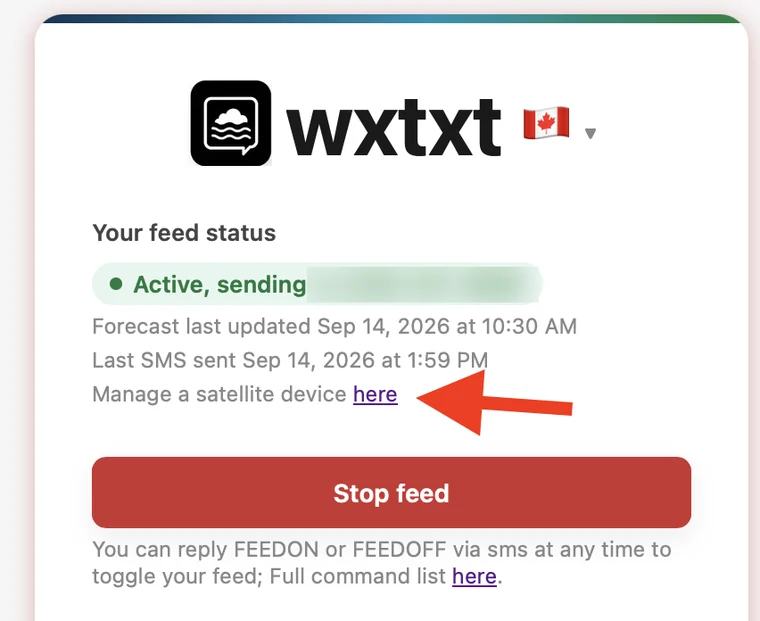
Once at least one message has actually reached your phone, a "Manage a satellite device here" link appears on your account page. That's wxtxt confirming it knows which of its numbers reaches you before offering to also pin your satellite device to it.
-
Open the pairing page and get a code
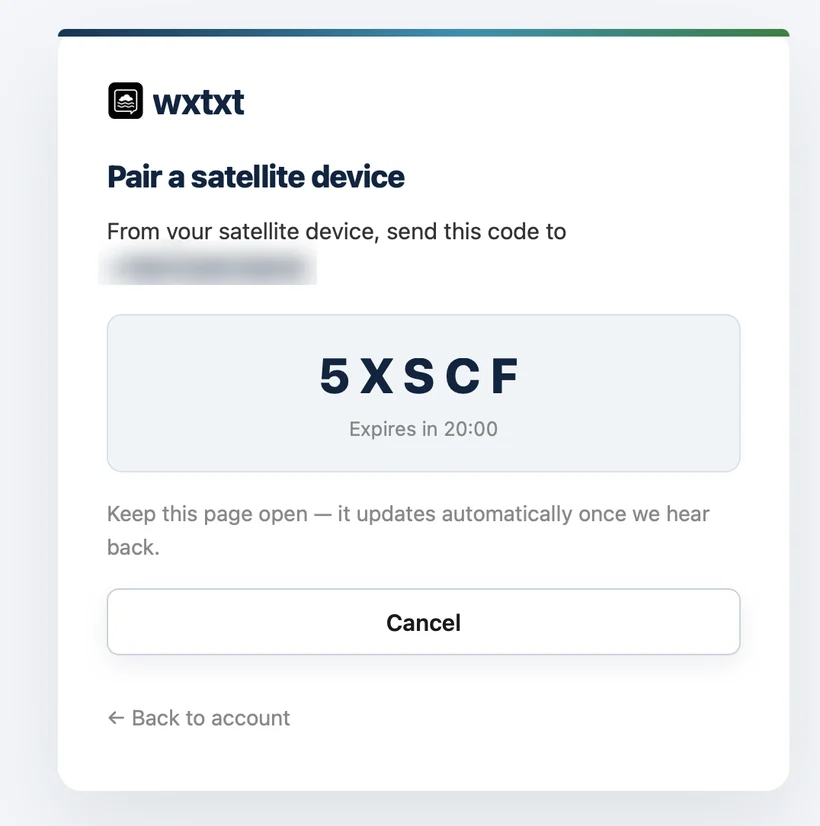
Tap "Manage a satellite device," then "Get pairing code." You'll get a short code and the exact wxtxt number to send it to: always the same number that already texts your phone.
-
Send the code from the inReach itself
From the device, text the code to the number shown. Satellite messages are slower than cellular SMS, so give it a minute; the page updates on its own once it hears back.
-
You're paired
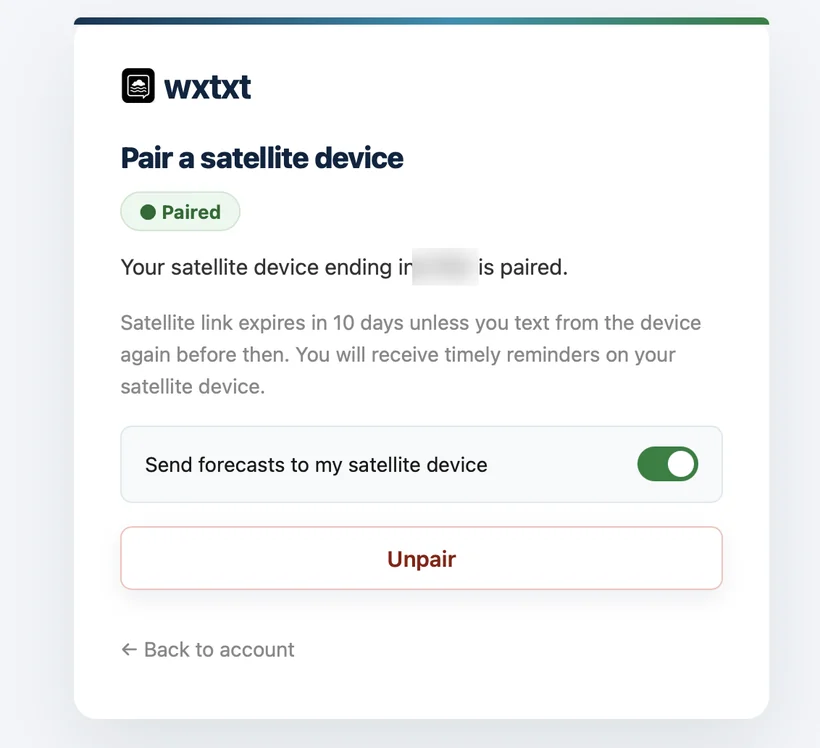
The page confirms once wxtxt hears back, and your phone gets a text too. Flip "Send forecasts to my satellite device" on to route forecasts there instead of your phone. You can now use your satellite device just like a phone with wxtxt. This includes texting commands via satellite.
Good to know
Every forecast text counts against your Garmin messaging plan the same as any other message, so keep an eye on your plan's quota. Garmin's own device software splits long messages into multiple parts automatically; that's normal, not a wxtxt error.
The pairing needs a device-originated text at least once every 10 days to stay live. Texting the wxtxt number from the device (a command, a reply, anything) resets that clock. wxtxt sends a heads-up to the device itself if the window's about to lapse; if it does lapse anyway, forecasts fall back to your phone automatically and you'll get a text there too. Re-pairing after that is the same short steps above.
All the regular SMS commands work the same way over a paired satellite device: reply FEEDOFF / FEEDON to pause or resume, AREA <place> to switch forecast areas, UNPAIR to remove the pairing, or HELP for the full list. You can also unpair anytime from the pairing page.
Using a ZOLEO® or another two-way satellite messenger instead of a Garmin? Pairing doesn't care about the hardware. If it can send and receive a text over satellite, it can pair the same way.
Still stuck?
Email us at and we'll help sort it out.
← Back